
Make everyday work easier.
Give occasional and frequent users a familiar starting point, with less navigation to learn and less dependence on deep JDE knowledge.
A simpler path to adoptionYOUR JDE. A BETTER EVERYDAY EXPERIENCE.
Give your people the information they need. Put the next action within reach.
myJDE brings relevant KPIs, information and workflows into one personalised, mobile-first experience — powered by the JD Edwards system you already rely on.
Your ERP stays. Your investment stays. The experience moves forward.
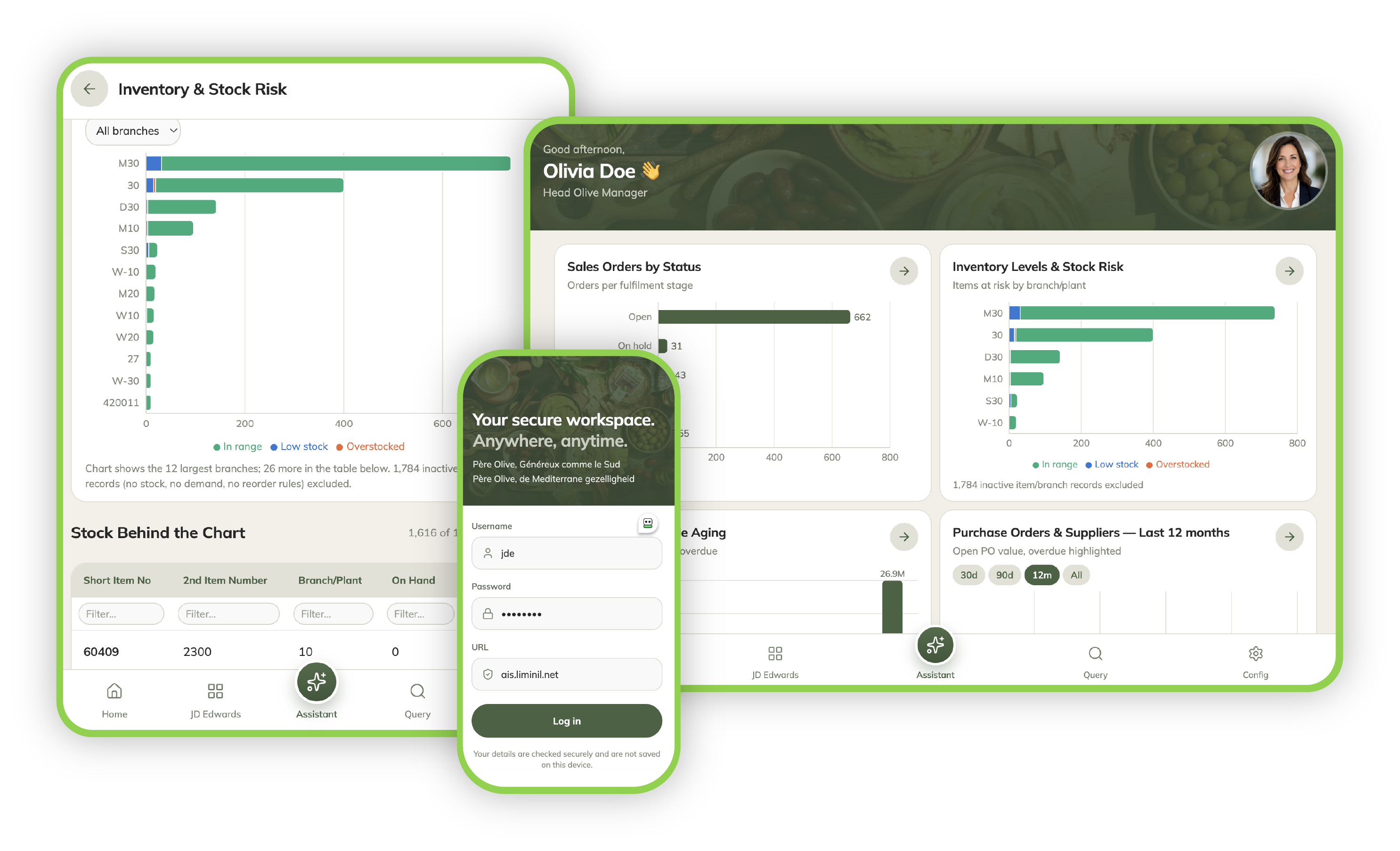
LESS FINDING. MORE DOING.
When a simple question takes a journey through menus, applications and versions, work slows down. myJDE puts the relevant business view in front of the person who needs it.
Give occasional and frequent users a familiar starting point, with less navigation to learn and less dependence on deep JDE knowledge.
A simpler path to adoptionSurface held orders, stock risk and overdue balances so teams can see where attention is needed and investigate the detail.
More time for the next actionKeep JD Edwards as your ERP and system of record. Add a modern experience around existing data, processes and business logic.
A focused modernisation pathStart with the business question. Open the relevant view. Investigate.
BUILT AROUND YOUR TEAM
A sales manager, finance team and buyer need different things from JDE. myJDE can tailor the experience by role, department, business unit and branch or plant.
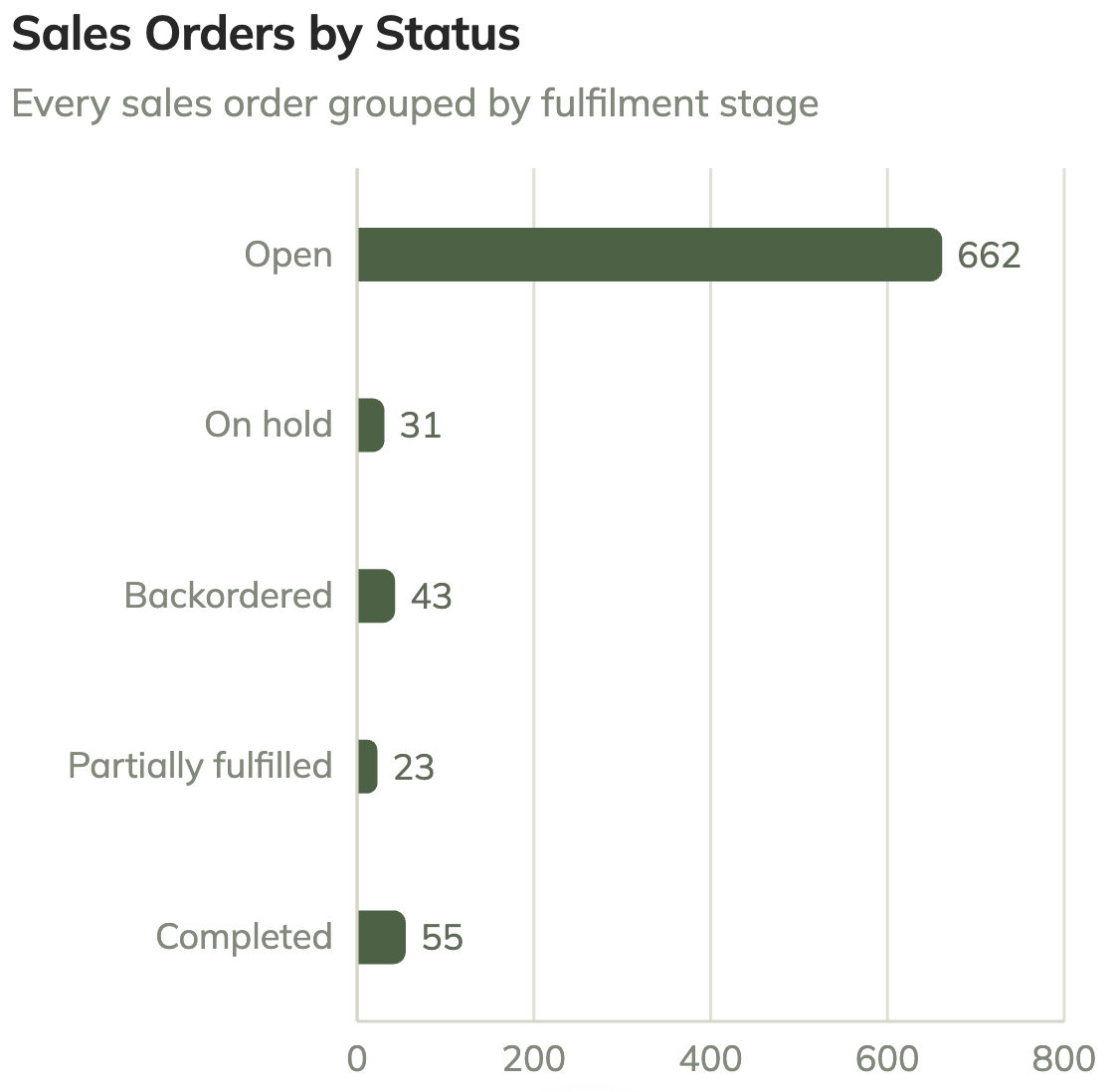
SALES & CUSTOMER SERVICE
Review open, held and backordered orders from one business view.
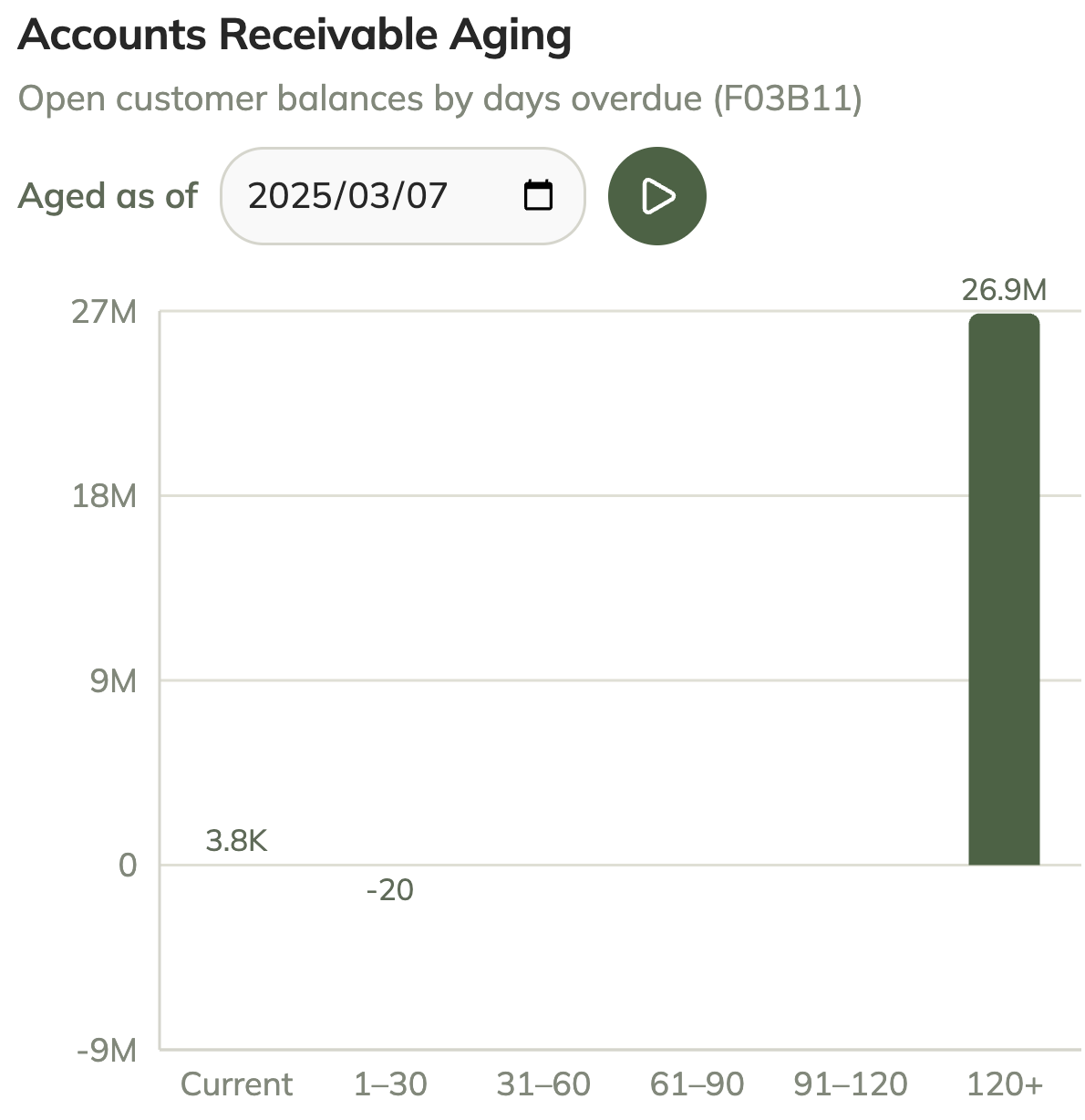
FINANCE
See aged receivables and drill into the underlying open invoices.
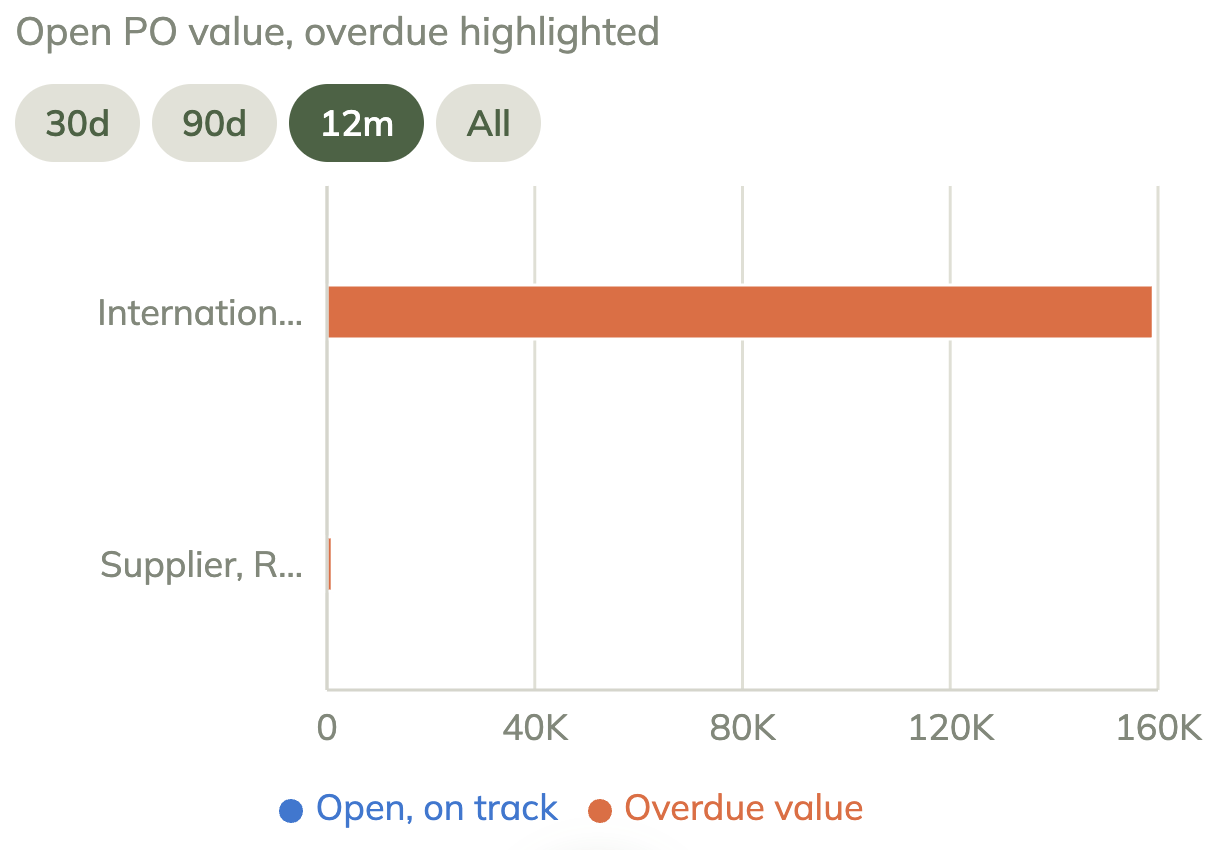
PROCUREMENT & OPERATIONS
Bring overdue purchase orders, supplier exposure and stock risk into view.
Your priorities shape the dashboard — from favourite tasks to the exceptions that matter most.
SEE THE APPROACH IN PRACTICE
The myJDE proof of concept shows how existing JDE data can become a personalised daily workspace, bringing an operations manager’s priorities into one view.
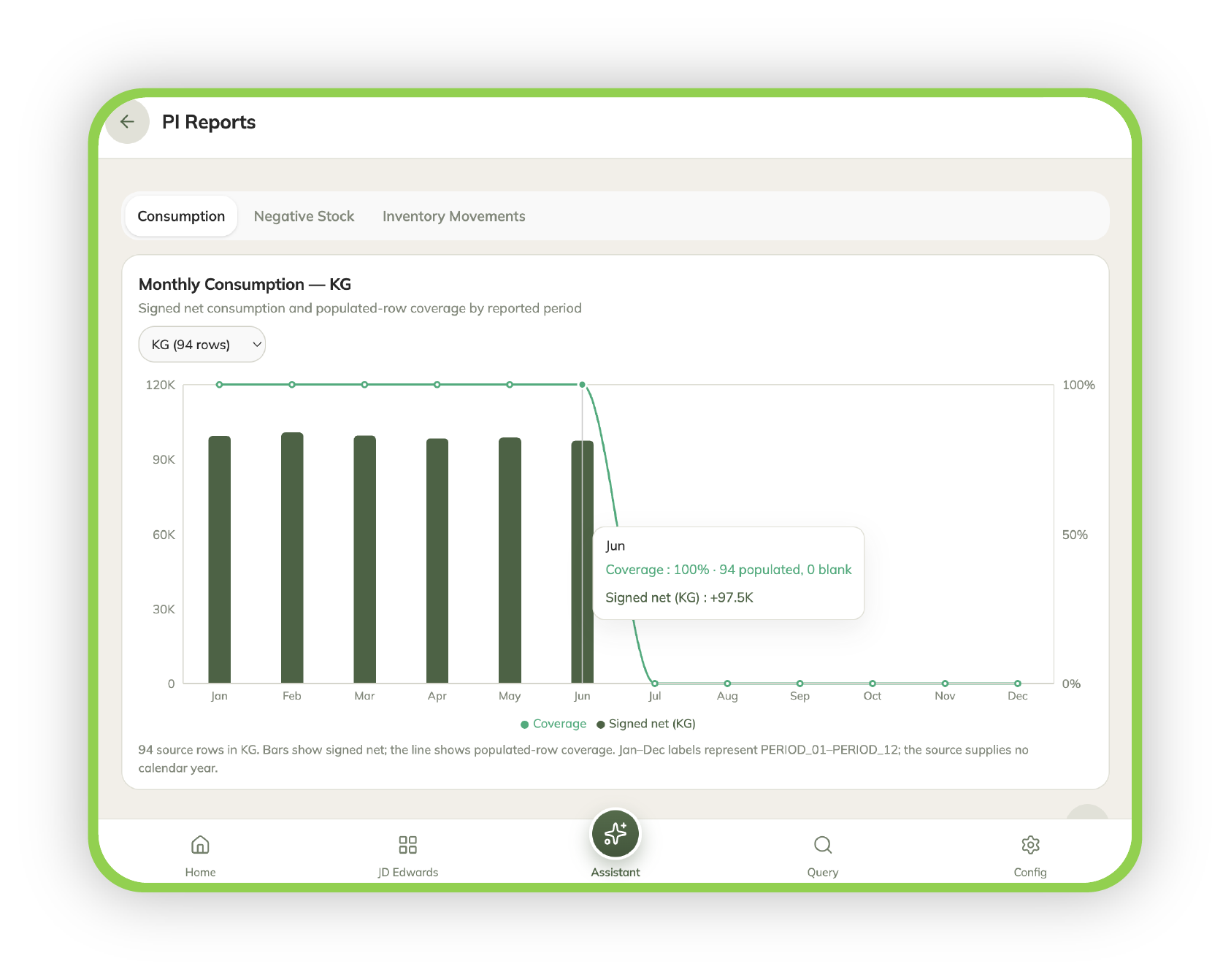
A MANAGER’S MORNING, SIMPLIFIED
Her dashboard brings open orders, inventory risk and receivables together.
She opens Supplier Performance and reviews the underlying supplier information.
The JDE Assistant offers another way to access information and guidance.
Screens shown are from the myJDE proof of concept. Scope, integrations and outcomes for your organisation are established through a pilot.
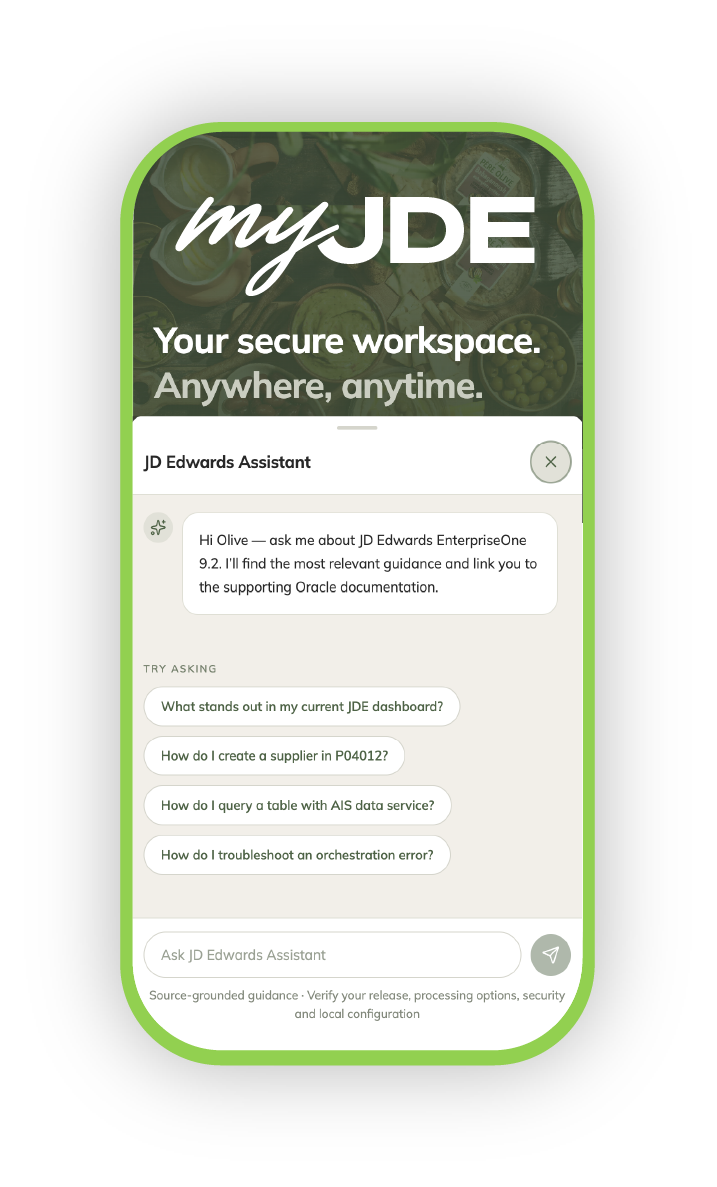
A MORE NATURAL WAY TO ASK
myJDE can incorporate conversational AI to help users ask about JDE data, understand exceptions and find relevant documentation.
“How many open Sales Orders are there?”
“There are 662 open Sales Orders.”
Illustrative exchange from the myJDE POC.AI complements JDE security, controls and business logic. Available answers depend on the connected data, documentation and permissions.
A NEW EXPERIENCE. YOUR EXISTING ERP.
myJDE sits above JD Edwards EnterpriseOne. Your team gets a relevant experience while JDE continues to run the business.
Start with a focused pilotDashboards · Personalisation · Mobile access · AI assistance
APIs · Authentication · Security controls
Data · Business logic · Applications · System of record
No. JD Edwards remains the ERP and system of record. myJDE is a personalised experience layer that makes relevant JDE information and functionality easier to access.
No. Start with a small number of high-value roles and tasks. Use the pilot to decide where the approach helps before setting a wider roadmap.
The pilot scopes AIS / Orchestrator availability, authentication or SSO, security, data access and the selected workflows. The integration approach needs to be validated against your JDE environment.
The experience is designed for mobile, tablet and desktop. The current POC demonstrates dashboards, insights and drill-downs. Focused transactional workflows can be scoped as the next step, followed by broader role-based workspaces.
Agree a baseline and success criteria before testing. Compare task completion time, usability, adoption and operational impact with a small group of real users.
YOUR NEXT STEP
Choose the people and tasks where a simpler JDE experience could make the greatest difference. Build the business case from real use.
Identify 2–3 personas, their common tasks and the friction to remove.
Confirm integration and access, then test the experience with real users.
Review adoption, time saved and operational impact to guide the next step.
BRING YOUR MOST COMMON JDE CHALLENGE
Tell us the role, the task and what a better outcome would look like. Let’s explore a focused myJDE pilot.
Keep JD Edwards. Simplify the experience.
A simpler, personalised and more accessible way for every user to work.